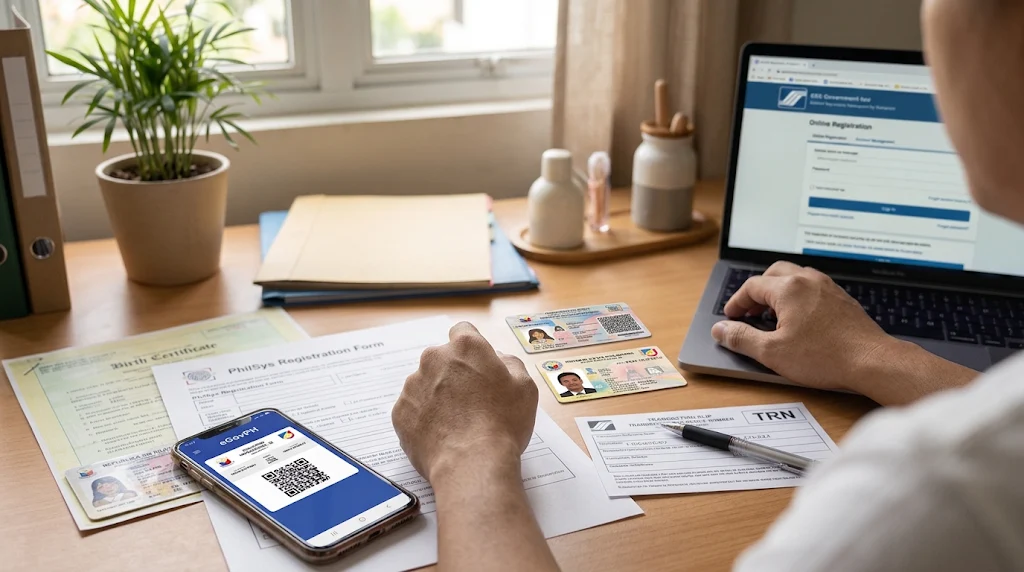

Filipinos have two government identity cards to choose from in 2026: the Philippine National ID issued by the PSA under PhilSys, and the SSS card, which for new applicants is now the MySSS Card that replaced the UMID. If you have neither, get the National ID first. Registration is a single free walk-in visit, you can print the paper ePhilID and open the Digital National ID in the eGovPH app without waiting for the plastic card, and PhilSys registration is itself a requirement for the MySSS Card. Every office and bank must accept the National ID as proof of identity: refusing it without just and sufficient cause is punishable by a ₱500,000 fine under Section 19 of RA 11055. The MySSS Card is worth adding when you receive SSS benefits or loan proceeds, because it doubles as a bank debit card, but it requires a permanent SS number and an active My.SSS account, costs ₱200–250 in partner-bank fees and takes 15–20 working days to arrive. If you already have an old UMID, keep it: SSS confirms that previously issued UMID cards remain valid.
Philippine National ID Requirements
Bring one primary document in the original. Any of these is enough:
- PSA or local civil registry birth certificate (or Report of Birth) together with one government ID that shows your full name, photo and signature;
- Philippine passport or ePassport;
- UMID card;
- driver’s license or student permit.
Without a primary document, PhilSys accepts a combination of secondary IDs such as a PRC, PhilHealth, postal, TIN or voter’s ID, an NBI or police clearance, or a school or company ID. As a last resort, a barangay certificate signed by the barangay captain can confirm your identity and at least six months of residence. Children aged 1–4 are registered with a parent or guardian who is already in PhilSys; only a photo is taken, and fingerprints and iris scans follow at age 5. Resident foreigners can register too, with their ACR I-Card.
How to Register for the National ID in 2026
Online pre-registration has been closed since 2023, so the whole process happens in one visit:
- Find a registration center: PSA provincial offices, city and municipal halls, and booths in SM, Robinsons and Ayala malls. Mobile teams also visit barangays.
- Fill in the PhilSys Registration Form in capital letters, with names copied exactly from your birth certificate.
- Present your supporting document to the operator.
- Have your biometrics captured: ten fingerprints, both irises and a front-facing photo.
- Check every detail on the screen, then keep the transaction slip with your Transaction Reference Number (TRN).
The fifth step matters more than it looks. A misspelled middle name or a wrong birth date gets printed on every format of your ID, and correcting it later means another trip to the PSA with supporting documents. Ask the operator to fix any error before you leave the booth.
Free download: PhilSys checklist, sample form and authorization letter
A 2-page Word file: a tick-box list of accepted documents, the PhilSys Registration Form filled in field by field with tips, and a ready letter that lets a family member receive your PhilID from PHLPost.
⬇ Download the checklist and sample (.docx)Digital National ID and ePhilID: Use Them While You Wait
You do not need the plastic card to prove your identity. Two other formats carry the same data and security features.
Digital National ID on the website or eGovPH
- Open national-id.gov.ph and click “Proceed” to consent to generating your Digital National ID.
- Enter your first, middle and last name and your date of birth exactly as registered, then click “Continue”.
- Click “Start Liveness” and follow the on-screen instructions for the face check: good light, no glasses or cap.
- After successful verification, click “View National ID”.
- Save it with “Download Digital ID” or a screenshot. In the eGovPH app the ID is stored in the digital wallet after you create an account and pass the same face check.
If the face check keeps failing, the usual reason is a name typed differently from your PhilSys record, for example without the middle name or with “Ma.” instead of “Maria”. Try again with the exact spelling on your transaction slip.
Paper ePhilID
The ePhilID is an A5 printout with the same details and QR code as the card. It is printed for free at PSA-run registration centers: bring your transaction slip and a valid ID. Some PSA regional offices have also sent registrants a text message with a link to download it.
One warning: do not order a “PVC version” of your Digital National ID from print shops or online sellers. The PSA has stated that only it may print the National ID, cards made from the digital copy are not valid, and unauthorized printing is punishable by 3 to 6 years in prison and a fine of ₱1 million to ₱3 million.
Card Not Delivered? What Is Happening in 2026
If you registered years ago and still have no plastic card, the delay is on the government side. The PSA stopped printing PhilID cards in January 2026 after its printing contract with the Bangko Sentral ng Pilipinas expired and cards failed quality checks. In September 2026 the PSA announced that printing would resume before the end of the year, starting with people who registered in 2021. Pending cards will be delivered once production restarts; you do not need to register again.
| What you see or have | What it means | What to do |
|---|---|---|
| Tracking result “Not Found” | The card has not been handed to PHLPost yet; it is not lost | Use the Digital ID or ePhilID and check again later |
| Status shows the card is with PHLPost | It is on its way to your registered address | Make sure someone can receive it, or leave an authorization letter |
| Lost transaction slip | Your record still exists | Go to the PSA office where you registered with a valid ID |
| You moved since registering | The card goes to your old address | Update your address at a PSA office before delivery |
| No reply from the local PSA office | Common during the backlog | Call the PhilSys hotline 1388 |
Wrong Details, Lost Card or New Surname
Corrections and replacements are done in person at a PSA office or a designated PhilSys registration center. You can update your name, marital status, sex, date or place of birth, address, blood type and typing errors.
- Damaged or peeling card: bring the card; the replacement is free.
- Lost card: bring a notarized Affidavit of Loss and a valid ID.
- New surname after marriage: bring your PhilID or ePhilID and the PSA marriage certificate.
- New address or a wrong entry: bring the ID and a document that proves the correct data, such as a birth certificate or proof of residence.
If an Office or Bank Refuses Your National ID
Under RA 11055, the PhilID and the PhilSys Number must be accepted, subject to authentication, as sufficient proof of identity without other IDs. A person or entity that refuses without just and sufficient cause faces a ₱500,000 fine, and a government official or employee who does so can also be perpetually disqualified from public office. For banks, BSP Memorandum No. 2024-026 requires acceptance of all formats of the National ID. Politely ask the staff to verify your ID by scanning its QR code at everify.gov.ph; if they still refuse, note the name of the office and the date and report it to the PSA or, for a bank, to the BSP. The National ID is also enough as one of the two IDs for the NBI clearance online application.
UMID in 2026: Now the MySSS Card
SSS launched the MySSS Card on October 1, 2025, and no longer issues new UMID cards to ordinary members. The card is open to members, pensioners and beneficiaries who meet four conditions: a permanent SS number, an active My.SSS account with an updated address, mobile number and e-mail, PhilSys registration, and a name and birth date that match in both SSS and PhilSys records.
| Partner bank | How you open the account | Card fee |
|---|---|---|
| RCBC (DiskarTech app) | Register as “SSS Member” with the TRN that My.SSS gives you, then request the physical card | ₱200, deducted when you request the card |
| AUB (HelloMoney app) | Account opened in the app after you choose AUB in My.SSS | ₱250 one-time; no annual or maintaining-balance fee |
| EastWest Rural Bank | Bank’s own onboarding after data sharing in My.SSS | confirm with the bank |
To apply, log in to My.SSS, open Services → MySSS Card, confirm your details, consent to National ID verification and take the face scan, then pick a bank and agree to data sharing. Pay the bank fee on time: the application is cancelled if it is not paid within the bank’s deadline. The card arrives in about 15 working days in Metro Manila and 20 working days elsewhere after the account is opened.
What is the UMID card PIN code?
It is a 6-digit code you chose yourself when activating your UMID at an SSS self-service terminal; it is not printed on the card. A UMID with an ATM function also has a separate ATM PIN set at the bank. Neither can be recovered online: bring the card and a valid ID to an SSS branch or the bank to reset it.
Frequently Asked Questions
Is the Digital National ID valid without the plastic card?
Yes. The PSA treats the Digital National ID as an official version of the National ID and a valid proof of identity and age in government and private transactions, subject to verification. Show it in the eGovPH app or as the image you downloaded; the verifier scans its QR code.
Can I register for the National ID abroad?
Only at Philippine embassies and consulates that offer PhilSys registration, because fingerprints and iris scans must be captured in person. Ask your post before visiting, since not every embassy runs registration.
Does the PhilSys Number replace my TIN, SSS or PhilHealth number?
No. The 12-digit PhilSys Number identifies you, but agency numbers stay separate: you still use your TIN for BIR, your SS number for SSS and your PIN for PhilHealth. The National ID simply proves who you are when you transact with them.
How much does the National ID cost?
Registration, the first PhilID card, the paper ePhilID and the Digital National ID are free, and so is replacing a damaged card. For a lost card or a correction of details, ask the PSA office about the fee before you go, as it is not published nationally.
Do I still need a UMID if I have a National ID?
Not as proof of identity. You need an SSS-issued card only if you want SSS benefits paid to a card or need SSS kiosk services; for that, new applicants now get the MySSS Card, not a UMID.
Sources: PSA: public advisory on the acceptance of the PhilID under RA 11055; PSA RSSO VII: how to access the Digital National ID; Tech Pilipinas: PSA to resume National ID printing; Cebu Daily News: PVC copies of the Digital ID are not valid; PhilippineIDs: PhilSys registration and replacement; Alamin Mo: UMID application now the MySSS Card.